Point of sale running inside the card machine for a food truck
A sales app that runs inside the card machine itself: menu, checkout, printed receipt, protected refunds and event pricing.
- Role
- Solo
- Period
- Sep 2026 – ongoing
- Kotlin
- Jetpack Compose
- Room
- Hilt
- Coroutines
- DataStore
- PagBank PlugPag SDK
- taps for a simple sale
- 4
- device for order, charge and receipt
- 1
- automated tests
- 400+
In this case
#A food truck counter doesn't wait
A line at the window, one person taking orders, hands full, customers in a hurry. Every skewer order has details: which meat, which side, no vinaigrette, plus a soda.
The usual fix is a notebook, a calculator and the card machine next to them. The operator writes it down, adds it up in their head, types the amount into the card machine and hopes it's right. The problems show up fast:
- Hand-typed amounts go wrong. One zero too many or too few and the day's cash doesn't add up.
- Order details get lost between the notebook and the grill.
- Undoing a sale is a hassle. The customer changes their mind after paying, or the charge went through the wrong way, and the refund turns into a hunt through the card machine's menus.
- At the end of the night, nobody is quite sure how much was sold, or how it was paid.
#What I built
A point of sale that runs inside the card machine itself (a PagBank Moderninha Smart, which is an Android device with a card reader and a thermal printer). No tablet, no phone, no cables: the same device builds the order, charges the customer and prints the receipt.
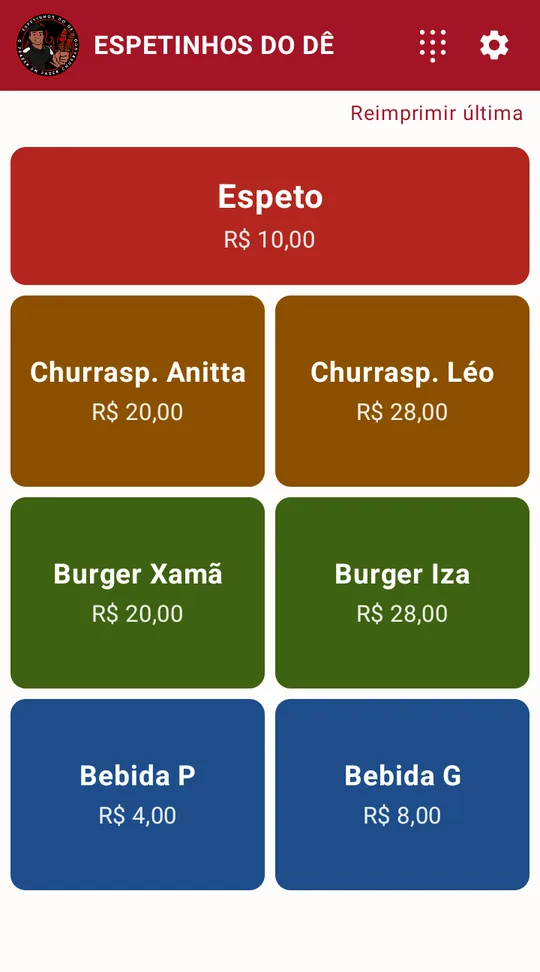
The menu is the home screen. Each category has its own color.
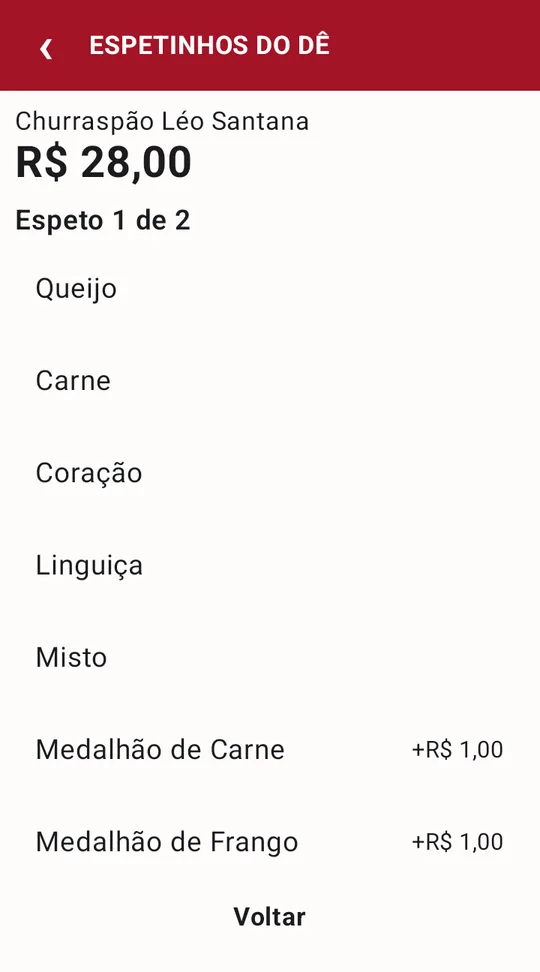
Choices one step at a time: skewer 1 of 2.
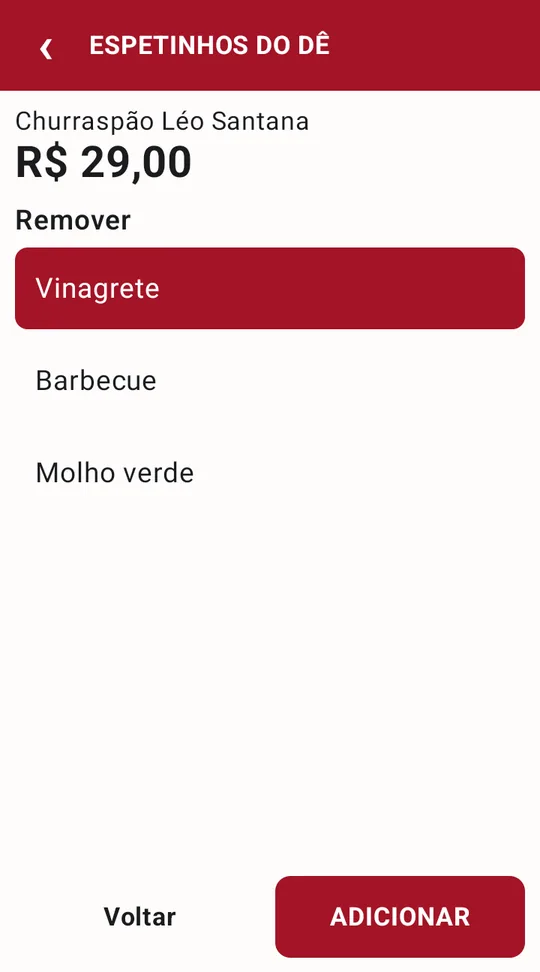
Leaving out the vinaigrette is one tap, and the price is already updated.
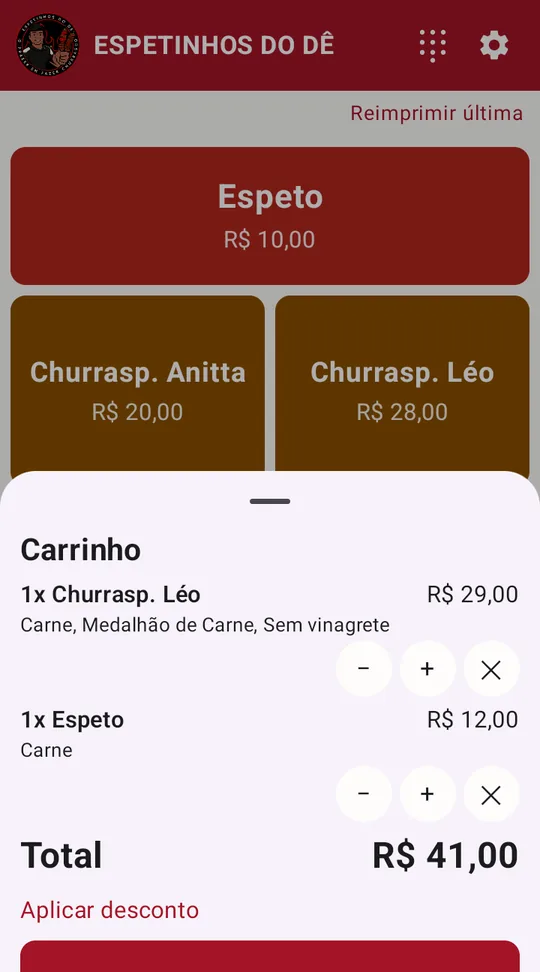
The cart shows every detail that goes on the receipt.
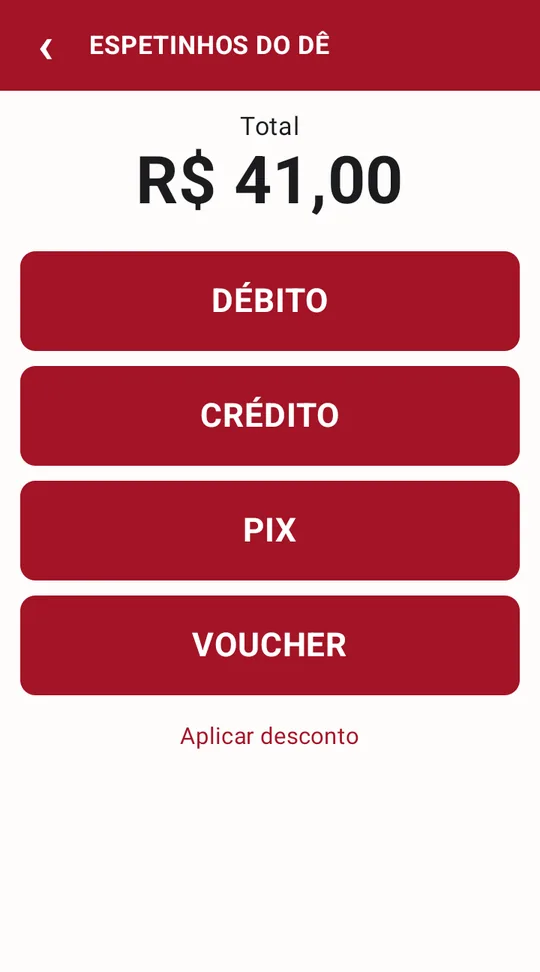
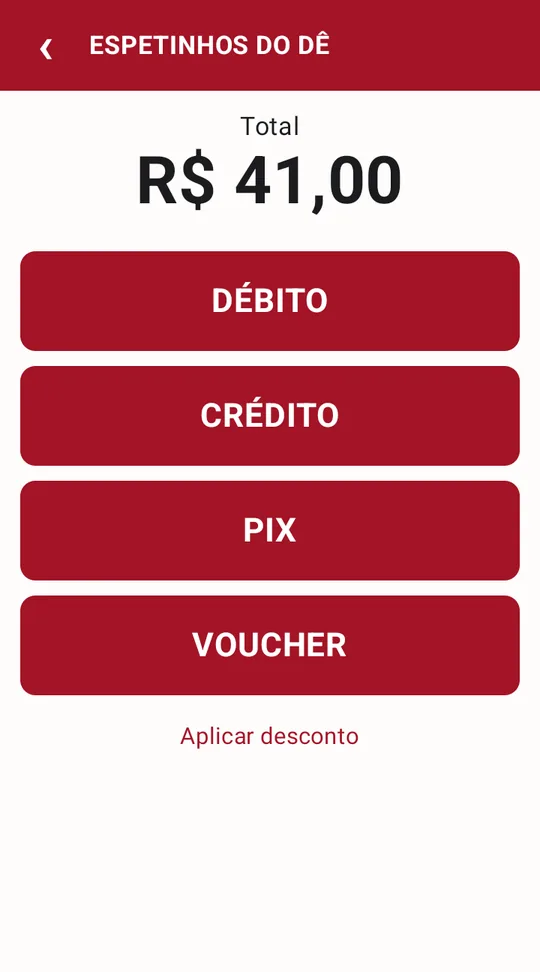
A big total and one payment method per button.
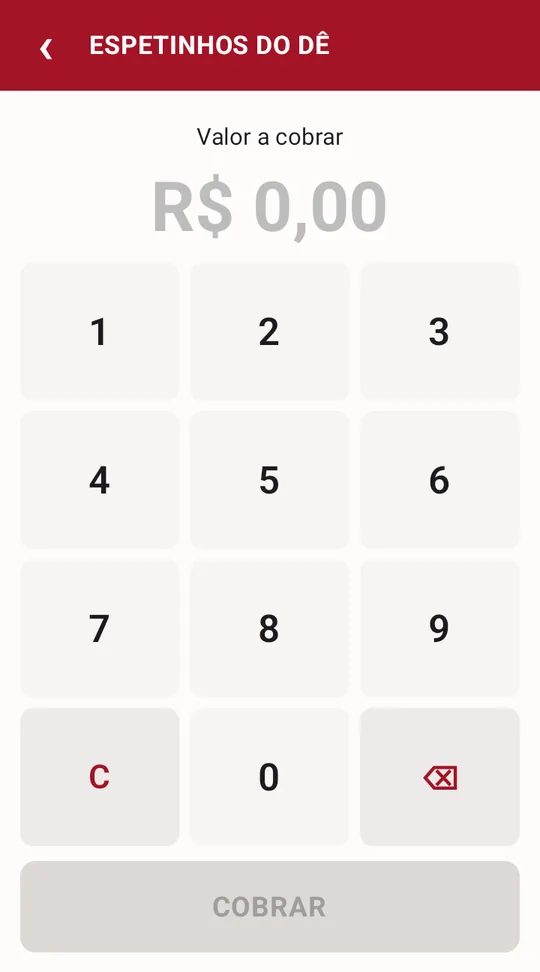
Custom amounts without leaving the sales screen.
#A sale in four taps
A simple sale closes in four taps: the product, CHARGE, the payment method and the customer confirming on the card. Products with choices (meat, sides, what to leave out) ask one choice at a time and go straight back to the sale.
The amount is never typed by hand: the app adds up the order, applies the discount if there is one, and sends the exact total to the debit, credit, PIX or voucher charge. An order with a full discount is recorded as complimentary, without going through the card machine.
#Built for the counter, not the showcase
The interface doesn't try to be pretty. It tries to be impossible to get wrong in a hurry. Every visual decision comes from the operation:
- Big buttons, the size of a hurried finger. The operator works standing up, often with one hand busy. No small icons, hidden menus or gestures that need precision.
- One color per category. Skewers, skewer sandwiches, burgers and drinks have different colors, so the eye finds the product before reading its name.
- The best seller takes the whole row. Skewers sell the most, so they get the biggest target on screen.
- What matters is big. The total to charge is the largest text on the payment screen, and each payment method is a full-width button.
- No needless confirmations. A product without choices goes straight to the cart with one tap. The only questions the app asks are the ones that prevent a real mistake, like confirming a refund.
- One tap, one sound. Every button answers with a click, so the operator knows the tap registered without looking again.
#The receipt comes out of the card machine
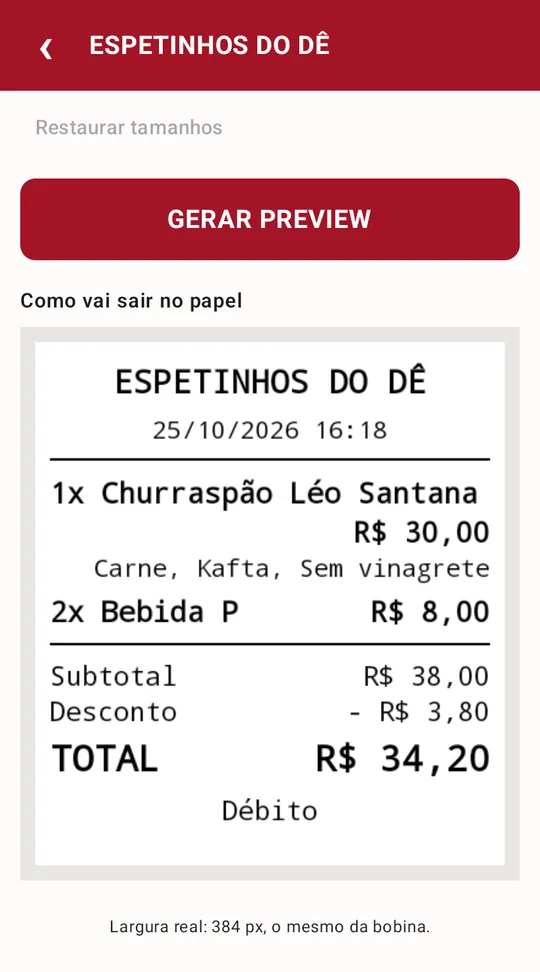
After payment, the app prints its own receipt: the food truck's name, date and time, each item with its add-ons and removals, discount, total and payment method. A logo and the order number in large type can be printed too.
The owner chooses what goes on the receipt, the size of each part of the text, and whether it prints every time or only when the customer asks. A preview shows exactly how it will come out on paper, at the real width of the roll.
#The menu belongs to the owner, not the programmer
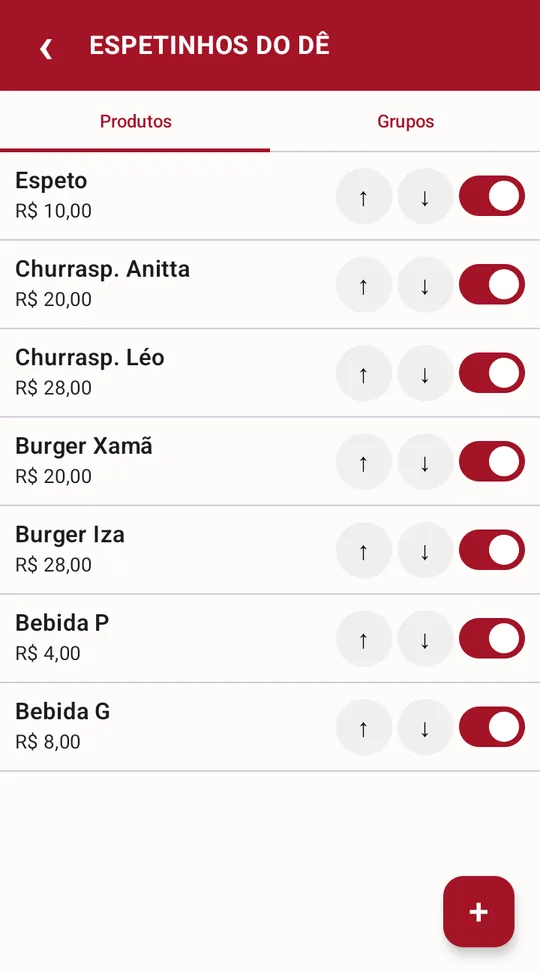
Products, prices, order on screen and variations are edited on the device itself, with arrows to reorder and a switch to take a sold-out item off the screen without erasing its history. Choices are reusable groups: the same group of skewers serves a sandwich that takes one and another that takes two.
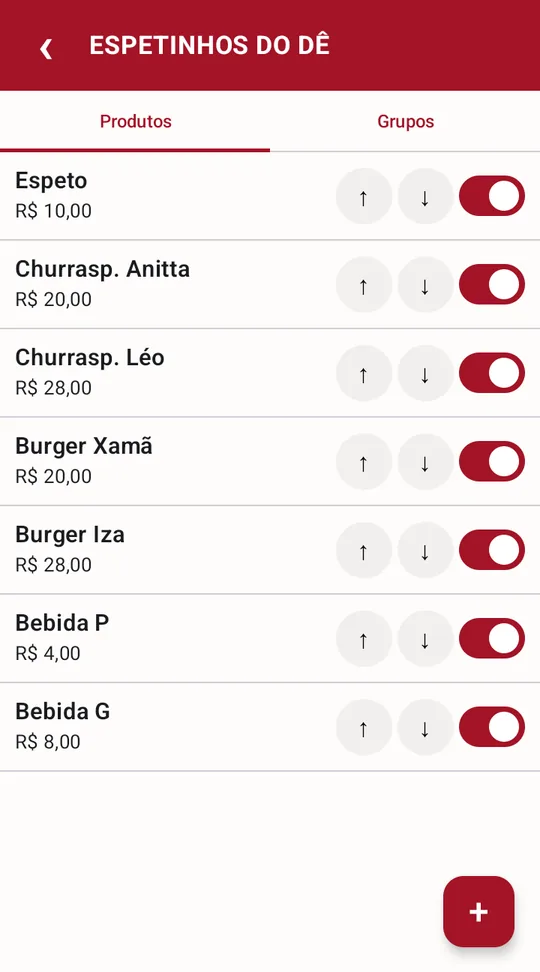
Order on screen and active products, no programmer needed.
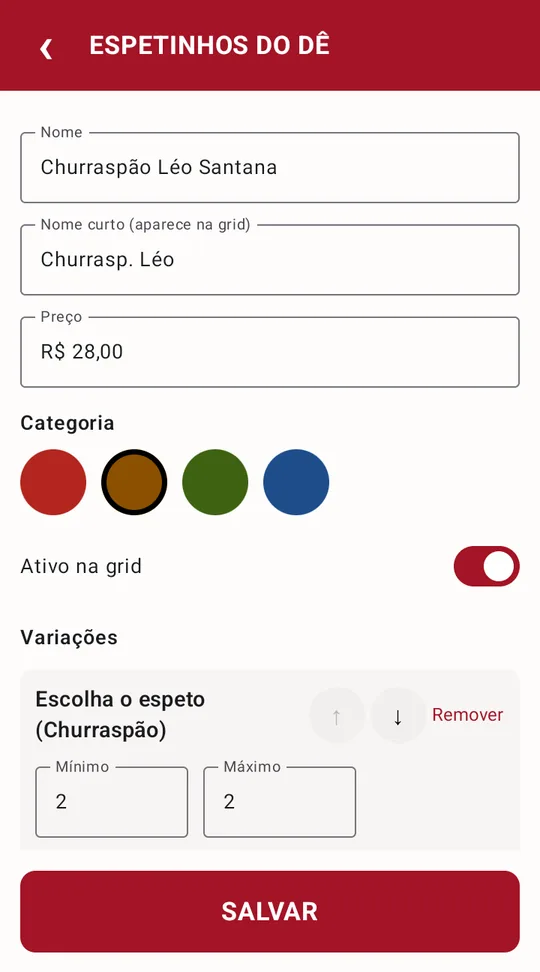
Price, category and how many choices each group requires.
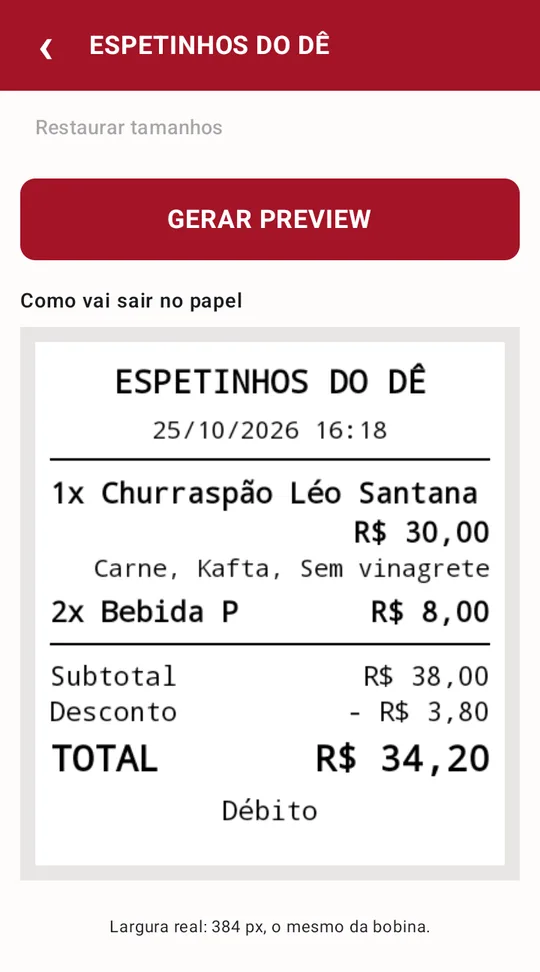
Receipt preview at the real width of the roll.
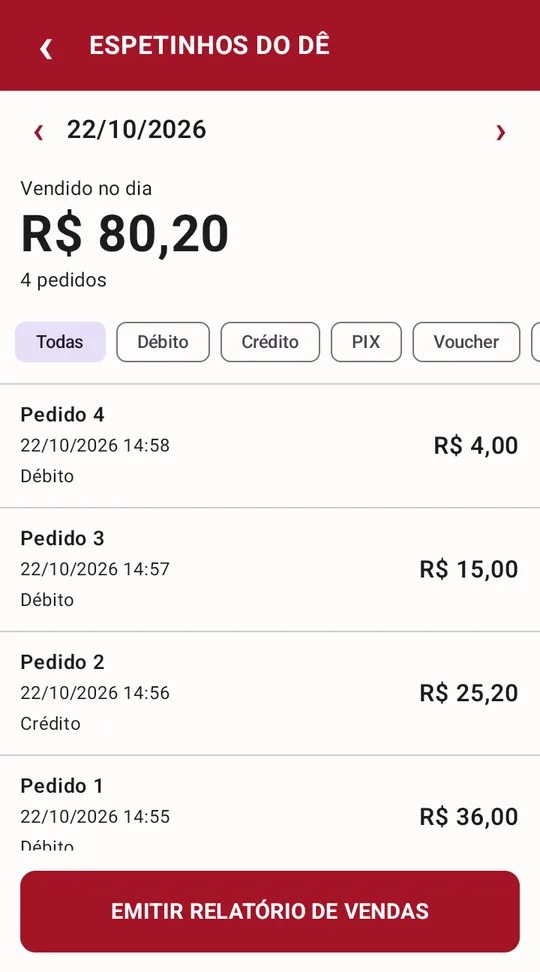
Closing the day, by payment method.
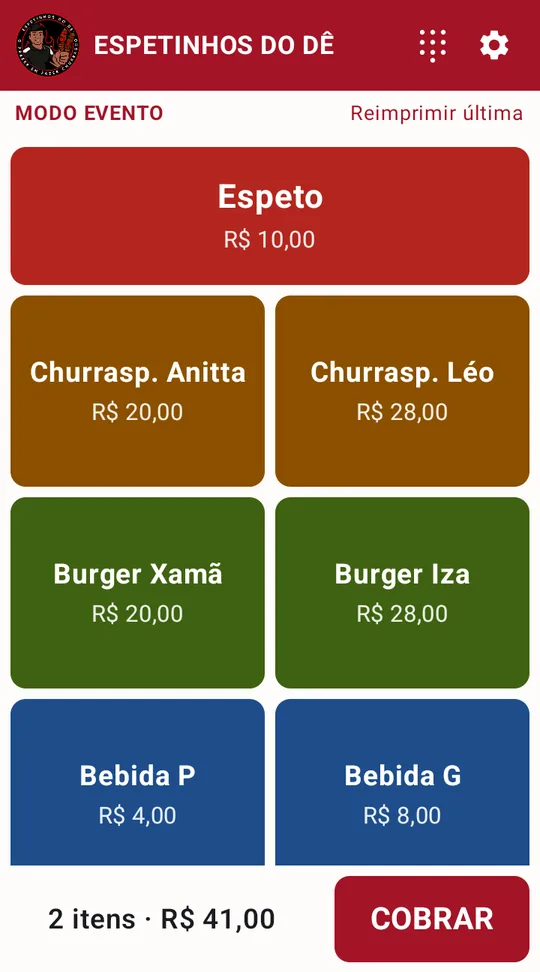
Event mode on: the notice stays on the sales screen.
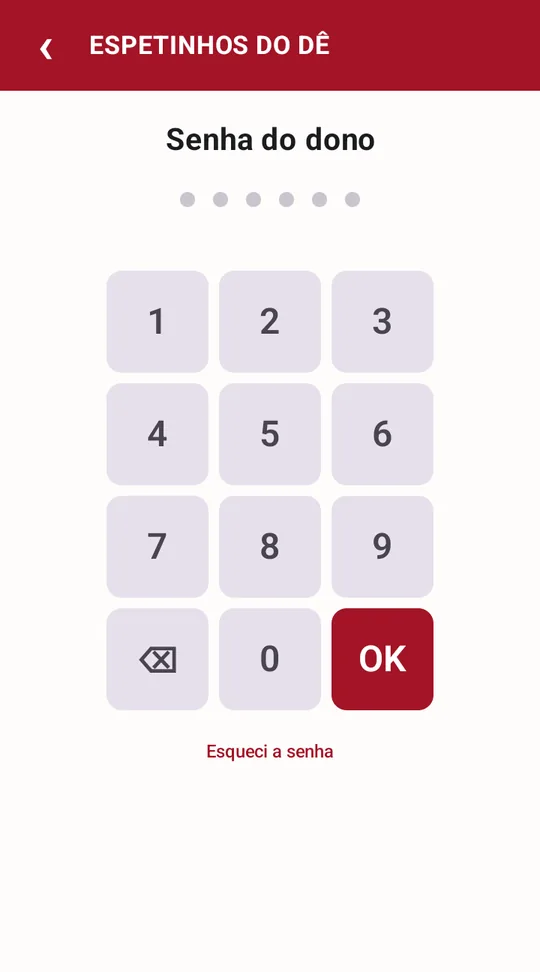
The whole menu sits behind the owner's password.
#Event day, event prices
At festivals and fairs, the same menu sells for more, and the prices are decided on the day. A switch turns on event mode: the sales screen and the editor switch to event prices, with a visible notice so nobody charges the wrong price by accident. When it's turned off, the everyday prices are exactly where they were left. Past sales keep the amount that was charged and don't change with the mode.
#Refunds in the app, only with the owner's password
A refund gives money back, so it sits behind an owner password that protects the whole menu: products, prices, report and refunds. Selling, charging a custom amount and reprinting the last receipt stay open to the operator.
The password is stored only as a salted hash, there is a progressive lockout after repeated mistakes, and a recovery code for the day it gets forgotten.
#Closing the day on paper
The report lists every sale with time, amount and payment method, filters by payment method, moves between days and prints on the card machine itself. Refunded sales show up marked and stay out of the total.
#Where a point of sale can't get it wrong
A sales app can be simple and still get used. What it can't do is charge twice or record something different from what happened on the card. That's where I put the most careful decisions:
- The app and the card machine never disagree about a refund. Before asking for the refund, the app records that it is in progress. If the answer is clear, it saves the outcome. If the connection drops halfway, the sale is marked "refund not confirmed" and only offers to try again, which settles it on both sides.
- Cancel really means cancel. The cancel button and the back arrow ask the terminal to cancel and wait for its answer. Leaving the screen without that left the charge stuck in the payment service, and the next sale failed.
- An unknown error is neither "it worked" nor "it failed". Responses the app doesn't recognize are treated as uncertain, never as a completed or refused refund.
- A printing failure doesn't lose the sale. The approved payment is saved before the receipt; if the paper runs out, the receipt prints later without charging again.
- Updating the app doesn't erase the history. Every change to the database comes with a tested migration that keeps sales and the menu.
#How a sale happens
- 1Operator taps the products and picks the options
- 2App adds up the order and applies the discount
- 3Charge by card, PIX or voucherTerminal messages shown in the app
- 4Sale saved with the price of each item
- 5Receipt printed on the spot
#The decisions behind it
Why run inside the card machine instead of on a tablet next to it?
Because at a food truck counter every extra device is a cable, a battery and one more thing that can fail. The Moderninha already has a screen, a card reader, a printer and Android. A native app on it handles the order, the charge and the receipt with no integration between devices.
Why such a plain interface?
Because the user is an operator with a line in front of them, not a website visitor. Every decoration is one more place for the eye to pass before finding the right button. Color separates categories, size goes to the total and the main buttons, and everything else gets out of the way.
How do you build it before getting access to the payment system?
The code that talks to PagBank is isolated behind an interface, in a part of the project that only goes into the final build. While the keys hadn't arrived, the whole app ran on an ordinary phone with simulated payment and printing. When they arrived, it was just a matter of plugging in the real implementation, without rewriting any screens.
What if the food truck switches card machines one day?
The app is split into variants by payment provider. The PagBank one is in certification, and the Stone one already exists as a skeleton, waiting for the SDK. The menu, sales, receipt and report are the same; only the piece that talks to the terminal changes.
How do you know the price is right without testing on the card machine every time?
All the rules for prices, discounts, grouping items and event mode are plain code, with no Android, tested in seconds on a computer. The database and the screens have tests on an emulator. The card machine is left for what only it can do: the card and the paper.
#By the numbers
- 4
- taps for a simple sale
- 4
- payment methods, plus complimentary
- 400+
- automated tests
- 1
- device for order, charge and receipt
#What changes at the counter
The operator stops adding up in their head and typing amounts into the card machine: they tap what the customer ordered and charge it. The owner changes a price without asking anyone, turns on event mode when parking at a fair, and closes the night with the printed report in hand. And when a sale has to be undone, it's undone in the app, with a password, and the record matches what happened on the card.
Want a system like this in your operation?
Free 30-minute diagnosis. You leave with a fixed scope, timeline and price.
Get my diagnosisWant a result like this in your product?
Tell me the problem in one sentence. I reply within 2 business days with an honest read on what can be done.